

Tool Management: Your Advantages
Find out how tool management from ZOLLER immediately increases your productivity. Processes run faster and more reliably with tool data—including crash protection for your machines.
Learn more
Frequently Asked Questions
ZOLLER webTMS is the web version of the TMS Tool Management Solutions desktop application, which can be used on various devices. Since ZOLLER webTMS was developed from the ground up, not all modules and functions of the TMS desktop version are currently available.
Advantages of a web application: No installation is required on devices. Any device with a browser (PC, smartphone, tablet, laptop, etc.) can access webTMS immediately. Installation, configuration, and maintenance are performed only on the host device, which significantly reduces administrative overhead.
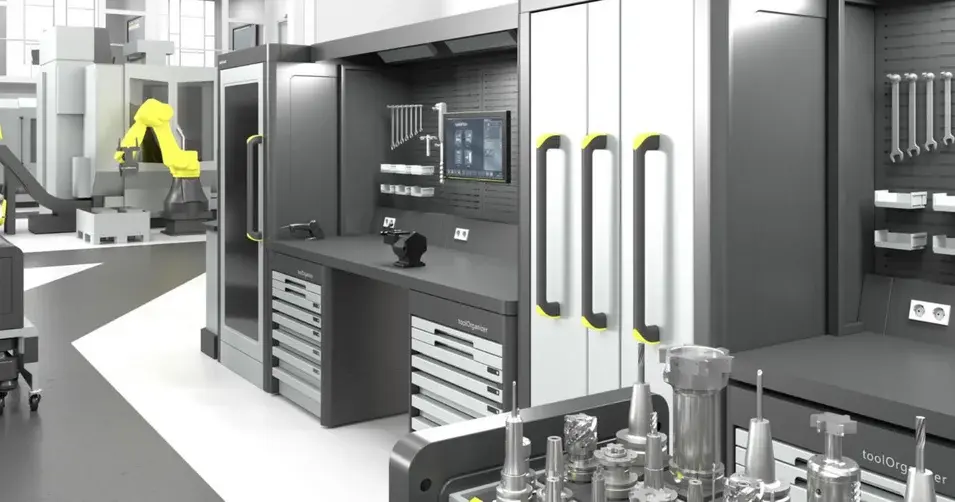
The webTMS StartUp Edition is the first version of webTMS to be released. It comes pre-installed on all presetting and measuring machines as well as TMS hardware products (»keeper«, »autoLock«, »toolOrganizer«, »zTower«, »toolStation«, »cockpit«), so customers can get started immediately.
As soon as the device has a network connection, simply start webTMS. From that point on, the software can be used on any device with a browser without any additional installation.
This version of webTMS is not compatible with TMS because it is hosted on the IPC of the presetting and measuring machine or on a TMS hardware product that is not designed for this dual use. Using both systems simultaneously can lead to performance issues and crashes.
A compatible on-premises version (in beta) that is installed and hosted on the customer’s server is currently under development.
No installation is required, as webTMS is already preinstalled on the presetting and measuring machine or a TMS hardware product. You only need to create a trial license (or select a purchased license) and start webTMS on the device that should serve as the host. Optionally, you can configure the database, graphics, and document paths.
To allow access from other devices, the presetting and measuring machine or a TMS hardware product must be connected to the network. Access is via the standard ports 80 and 443.
Currently, customers can contact their ZOLLER representative to request a customized quote. The license is sent manually by the software deployment team, but this process will be automated in the future. Going forward, customers will be able to use MYZOLLER for this purpose. Customers can choose between monthly, semi-annual, or annual billing with a minimum term of one year.
Find out how tool management from ZOLLER immediately increases your productivity. Processes run faster and more reliably with tool data—including crash protection for your machines.
The individual exchange about your goals and our ideas for achieving them. Online advice from ZOLLER directly from the Smart Factory. Arrange your appointment now.